
A comparison of C4 tooling
By Olle Fahlén
Published 24 Nov 2025
This article compares the major approaches to C4 model tooling through practical themes: cognitive load, inclusivity, consistency, and long-term maintainability. Rather than cataloguing features, the focus is on how each approach shapes collaboration and shared understanding.
We’ll explore traditional diagramming tools like Lucidchart and Miro, diagram-as-code tools such as Structurizr and Mermaid C4, and visual modelling tools like IcePanel and Archi. Finally, we’ll look at where Remodel fits within this landscape and how it differs from the existing categories.
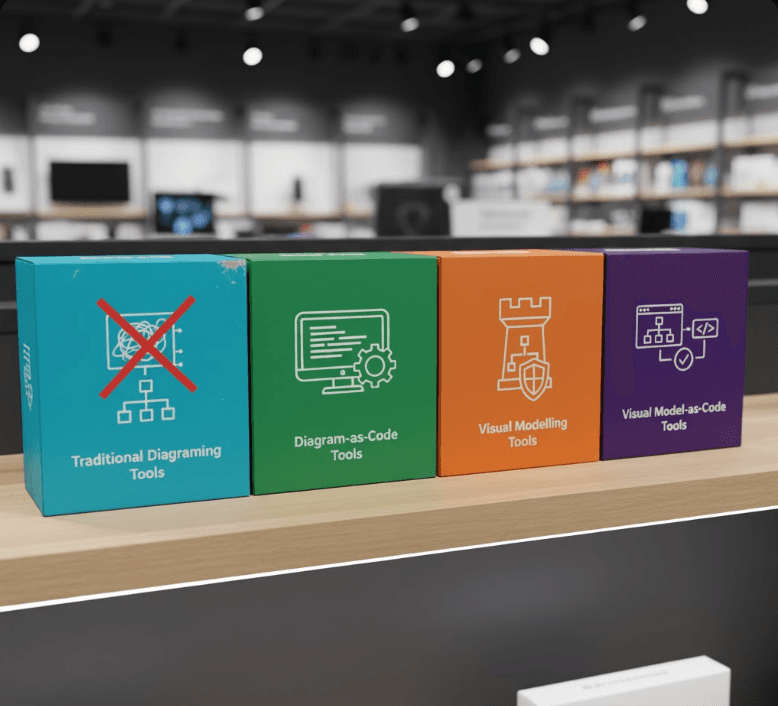
Traditional diagramming tools
These are the tools teams often start with because the initial learning curve is almost zero. Everyone can draw a box and an arrow. They are used in meetings, workshops, strategy sessions and as whiteboard replacements.
They are usually a good choice when you need to think, explore and communicate visually.
But they lack structure. They won't stop you from breaking C4 rules, drawing inconsistent relationships or creating diagrams that are impossible to maintain as the system evolves.
These kind of tools cannot be recommended for serious C4 modelling.
Tools in this category
- draw.io / diagrams.net
- Miro
- Lucidchart
- Figma
- Excalidraw
Strengths vs limitations
- Super-inclusive, anyone can contribute, although, you have to rely on people drawing things in a way others can actually understand.
- Great for workshops and early thinking, not as great for iterating complex diagrams and long term maintainability.
- Low barrier to entry, but the sheer number of options can overwhelm and make diagrams drift in style or meaning.
Diagram-as-code tools
Diagram-as-code tools emerged out of frustration with traditional diagramming problems: misaligned lines, inconsistent shapes, manual layout and diagrams quickly going out-of-date.
By representing diagrams in text, these tools give developers the things they value deeply:
- Versioning in Git
- Repeatable diagrams
- Clean diffing
- Automated updates
- No visual fiddling with lines and boxes
But they introduced a new barrier: Non-technical team members like product owners, domain experts, business analysts that often can’t read, write or review diagram code. The moment the model becomes code, collaboration narrows.
Tools in this category
- Structurizr DSL
- C4-PlantUML
- Mermaid C4
Strengths vs limitations
- Perfect for developers, but you need to learn the syntax and understand the C4 model.
- Git-native, yet the cognitive load is high for casual or non-technical users.
- Fully reproducible, but harder for stakeholders to review or give feedback.
- Supports automation, but slows alignment across cross-functional teams.
Visual modelling tools
Visual modelling tools add structure on top of visual editing.
They understand models, entities, relationships and sometimes diagram types.
They help teams stay consistent and apply modelling rules.
But many are heavy, slow or designed for enterprise modelling eras that predate modern product teams. They’re structured, but not necessarily simple. Visual, but not always intuitive. Collaborative, but often through slow workflows.
Tools in this category
- IcePanel
- Archi
Strengths vs limitations
- Structured and rules-aware, but the workflows can feel slow or heavy.
- Works well for cross-functional teams, though not always developer-friendly.
- Clear visuals with modelling guardrails, but automation options are limited.
- Easier to maintain long-term, but not Git-native.
Visual model-as-code tools
We are introducing a new category of tooling designed for modern, agile, cross-functional software teams. Remodel combines the accessibility and clarity of traditional diagramming tools with the structural discipline of visual modelling and the developer-oriented benefits of diagram-as-code.
Anyone on the team can read and contribute without writing code, the interface is minimal and workflows are smooth. At the same time, C4 model rules are enforced proactively, the model is maintained as a single source of truth, and relationships are managed internally, reducing the risk of broken diagrams. For developers, Remodel's file format can be version controlled with Git, which enables the possibility for automation, generation and infrastructure scaffolding.
Tools in this category
- Remodel
Strengths vs limitations
- Inclusive and accessible, anyone on the team can read and contribute, but some users may still need guidance to understand the underlying model.
- Structured and rules-aware, enforces C4 rules and model integrity, though complex rules and strict structure can feel restrictive.
- Version-controlled and reproducible, changes are tracked and models can be rebuilt consistently, but developers may need to adjust their workflow to manage commits, merges and reviews.
- Supports disciplined processes, encourages structured model updates and cross-role collaboration, but teams must adopt these practices deliberately which can require upfront effort.
Comparison tables
Tool categories overview
| Category | Core idea | Who it serves | Strengths | Limitations |
|---|---|---|---|---|
| Diagram-as-Code | Writing diagrams as text so they’re generated and versioned like code. | Developers | Precise, Git-native, reproducible, automation-friendly | Exclusive to developers; slow feedback for non-technical roles; higher learning curve |
| Diagramming Tools (Lines & Boxes) | Free-form visual diagrams | Cross-functional teams | Inclusive, fast, intuitive, excellent for workshops | No structure; error-prone; hard to maintain; disconnected from code |
| Visual Modelling Tools | Visually edit diagrams while seamlessly updating the underlying model. | Cross-functional teams, architects | Rule-enforced, structured, visual clarity, maintainable | Often complex; slow UX; limited developer integration; sometimes heavy enterprise tools |
| Visual Model-as-Code | Visually edit diagrams and their model, stored as version-controlled text. | Entire software team | Inclusive, structured, versioned, automation-ready, collaborative, architecture hub | Requires process adoption; coordination in large teams; some developer workflow friction; emerging category |
Strengths vs limitations
| Category | Inclusivity¹ | Structure & rules² | Version control | Automation & integration | Collaboration | Recommended for |
|---|---|---|---|---|---|---|
| Diagram-as-Code | Low | High | High | High | Low | Developer teams needing precision & reproducibility |
| Diagramming Tools | High | Low | Low | Low | High | Cross-functional brainstorming, workshops |
| Visual Modelling Tools | Medium-High | High | Medium | Medium | High | Teams needing structured modelling, rule enforcement |
| Visual Model-as-Code | High | High | High | High | High | Full software teams |
¹ Inclusivity: How easily all team roles can understand, contribute to, and collaborate on the architecture, without needing specialized technical skills.
² Structure & rules: How well the tool enforces c4 modelling to ensure consistent, valid system representations.
Compliance of C4 rules
| Tool | Enforcement Type | Rule Integrity | User Requirement |
|---|---|---|---|
| Structurizr | Reactive Validation | High — cannot build an invalid model; build will fail | Must understand C4 hierarchy concepts (System > Container > Component) |
| Remodel | Proactive Constraint | High — cannot build an invalid model; UI prevents invalid actions | Can rely on the tool to teach/restrict the hierarchy |
| IcePanel | Proactive Constraint | Medium-High — model prevents most invalid structures | Should understand C4 hierarchy; UI guidance helps |
| C4-PlantUML | Reactive Validation | Medium-High — invalid diagrams may fail to render | Must know C4 concepts and PlantUML syntax |
| Mermaid C4 | Reactive Validation | Medium — mostly relies on syntax; limited enforcement | Must know C4 concepts and Markdown/DSL |
| Archi | Rule guideline | Medium-High — enforces rules through plugin and modelling | Should understand hierarchy concepts |
| Draw.io, Excalidraw, Lucidchart, Figma, Miro | None | Non-existent. | User needs to fully understand the C4 model concept. |
Cognitive load by tool
| Tool | Cognitive Load | Notes |
|---|---|---|
| Excalidraw | Low | Lightweight visual tool; minimal mental effort; lacks structure, so cognitive load may increase for large systems. |
| Remodel | Low-Medium | Proactive UI guardrails, automatic layout, and visual feedback reduce cognitive effort; accessible to cross-functional teams. |
| IcePanel | Medium | Visual modelling with rule guidance; some effort needed to understand hierarchy and maintain consistency. |
| Mermaid C4 | Medium-High | Lightweight DSL; limited enforcement; text-to-diagram translation adds mental overhead. |
| Structurizr | High | Text-based DSL; requires understanding C4 hierarchy and mental mapping from code to diagrams; developer-centric. |
| C4-PlantUML | High | Text-based DSL; users must mentally translate structure to visuals; high effort for non-developers. |
| Archi | High | Visual modelling reduces some load; guidance via templates helps, but manual management of hierarchy still needed. |
| Miro | High | Drag-and-drop visual interface; minimal learning curve; cognitive load increases with large diagrams and consistency enforcement is manual. |
| Lucidchart | High | Visual interface; easy to use; maintaining C4 rules or consistency requires manual effort. |
| Draw.io / Diagrams.net | High | Free-form diagrams; easy to start; cognitive load grows as models scale or rules need manual enforcement. |
| Figma | High | Intuitive visual editing; ideal for workshops; not structured, so team must track rules separately. |
Product design comparisons by tool
| Tool | User Interface (UI) | User Experience (UX) | Diagramming | Modelling |
|---|---|---|---|---|
| Mermaid C4 | Split-Screen; visual editor "bolted on." | Input ambiguity; constant code/click conflict disrupts flow. | Auto-layout; layout unclear with complex diagrams. | No true model; consistency is manual. |
| Structurizr | Split-Screen; dry web UI relying on external IDE setup. | High-friction; requires learning proprietary DSL syntax. | Auto-layout; layout unclear with complex diagrams. | Built around a central, hierarchical code model. |
| C4-PlantUML | Zero UI; pure text scripting via varying plugins. | Stalled iteration; slow render checks for basic errors. | Auto-layout; layout unclear with complex diagrams. | Interprets text; no structured database model. |
| Archi | Old school; cluttered with heavy menus and nested trees. | Menu Overload; simple actions require navigating dense windows. | Structured Drag-and-Drop; difficult manual positioning in complex diagrams. | Complex, structured repository (ArchiMate model). |
| Draw.io | Cluttered/Bloated; overwhelming toolbars. Cumbersome fiddling with lines/relations between objects | Option Overload; significant time investment to customize workflow. | Manual drag-and-drop; complex diagrams are difficult to edit. | None. |
| Excalidraw | Simplistic. | Near-Zero Friction; instantaneous startup and fluid creative flow. Big diagrams makes it slow. | Free forms; manual positioning with simple line routing. | None. |
| Remodel | Clean drag-n-drop; simplistic and focused UI. | Frictionless Responsiveness; instant loading due to client-side data. | Full auto-routing; manual element positioning freedom. Content-based auto-sizing. | Stores architecture in an underlying code/model file. |
| IcePanel | Crowded drag-n-drop; panels overlaying the canvas. | Comprehensive modelling workflow; lag from multi-step workflows and constant network syncs. | Primitive routing and manual positioning is difficult with large diagrams. | Uses a structured database to enforce rules based on the model. |
| Lucidchart | Corporate Generic; UI dense with seldom-used features. | Performance Drag; micro-lags and rendering delays during fine manipulation. | Manual drag-and-drop with "smart" guides and alignment. | None. |
| Figma | UI designed for graphic design professionals. | Semantic Mismatch; forces architectural logic into an alien visual-asset framework. | Complete freedom; no semantic connection logic (drawing shapes). | None. |
| Miro | Freeform Canvas; floating elements create disorientation. | The freedom can lead to challenges in information organization and retrieval at scale. Loading delays. | Drag-and-drop with "bouncy" relationships; prioritizes capture speed. | None. |